
Skip to content
  • Home
  • Recent
Collapse
Brand Logo
CRYSTAL23
Latest v1.0.1
Tutorials Try the Demo Get a License
Tutorials Try the Demo Get a License Instagram
  1. Home
  2. PROPERTIES
  3. Other Questions
  4. Localized Crystalline Orbitals
MSSC2026 Summer School: Registration is now open!

14-18 Sep 2026, London (UK)

Early Bird fee available until 8 May

Localized Crystalline Orbitals
Scheduled Pinned Locked Moved Other Questions
5 Posts 2 Posters 92 Views
  • Oldest to Newest
  • Newest to Oldest
  • Most Votes
Log in to reply
This topic has been deleted. Only users with topic management privileges can see it.
  • Chhatraundefined Offline
    Chhatraundefined Offline
    Chhatra
    wrote last edited by
    #1

    Dear User!

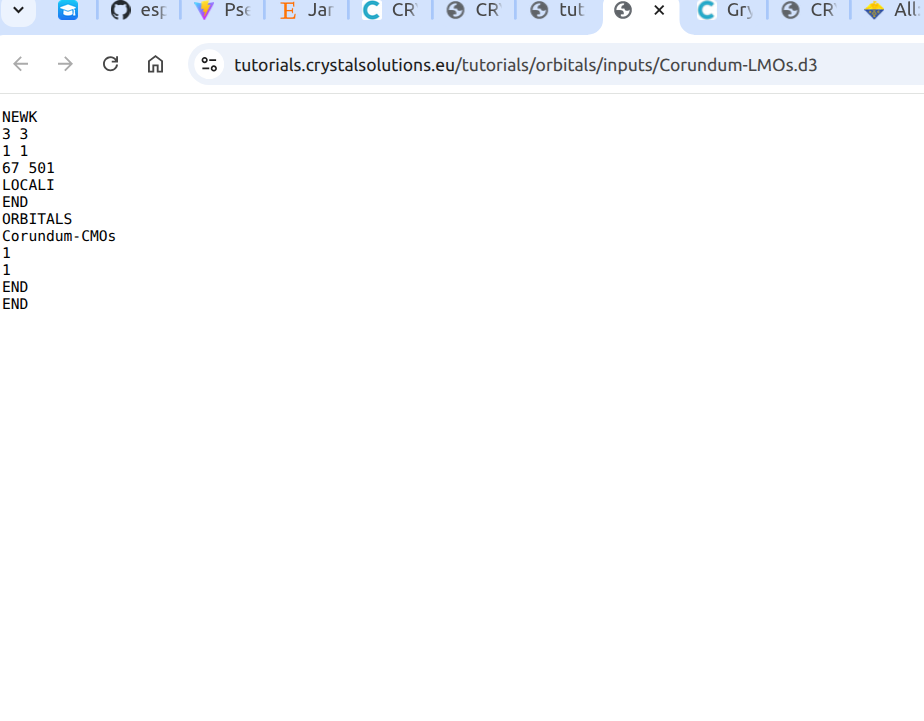
    Could someone please help me understand what the number ‘67 501’ in the INPUT section is used for?
    NEWK
    3 3
    1 1
    67 501
    LOCALI
    END
    ORBITALS
    Corundum-CMOs
    1
    1
    END
    EN

    Screenshot from 2026-05-04 17-28-07.png

    Thank you

    1 Reply Last reply
    0
    • GiacomoAmbrogioundefined Offline
      GiacomoAmbrogioundefined Offline
      GiacomoAmbrogio Developer
      wrote last edited by GiacomoAmbrogio
      #2

      Hi Chhatra,
      the last 1 in the second line of the NEWK input

      NEWK
      3 3
      1 1  <--- this one
      67 501
      ...
      

      is the number of printing options to switch on (as stated in the manual).

      Thus, the following line contains the number of the print option (67: eigenvectors of the Fock - see the LPRINT appendix in the manual) and the value of that print option (501: number of vectors to print)

      Giacomo Ambrogio, PhD Student
      Department of Chemistry - University of Torino
      V. Giuria 5, 10125 Torino (Italy)

      1 Reply Last reply
      0
      • Chhatraundefined Offline
        Chhatraundefined Offline
        Chhatra
        wrote last edited by Chhatra
        #3

        Thank you for your reply—it has been very helpful.

        I am currently trying to obtain the crystalline orbitals for a 7×7 supercell of MXene with a dye adsorbed on it. However, the generated .molden file for just gamma point is quite large (around 1.4 GB). I have attempted to open it using Jmol, even allocating up to 40 GB of RAM, but it still does not load.

        Could you please advise on how to proceed with handling or visualizing such a large file?

        1 Reply Last reply
        0
        • GiacomoAmbrogioundefined Offline
          GiacomoAmbrogioundefined Offline
          GiacomoAmbrogio Developer
          wrote last edited by
          #4

          Dear Chhatra,

          Unfortunately, I am not aware of a direct way to reduce the file size generated by the ORBITAL option in the properties module.

          As a possible workaround, you might consider reducing the system size if feasible. Another option could be to post-process the output to extract only the relevant information before visualization.

          I hope this helps.

          Giacomo Ambrogio, PhD Student
          Department of Chemistry - University of Torino
          V. Giuria 5, 10125 Torino (Italy)

          1 Reply Last reply
          0
          • Chhatraundefined Offline
            Chhatraundefined Offline
            Chhatra
            wrote last edited by
            #5

            Thankyou so much for your guidance. I will try!

            1 Reply Last reply
            0

            Powered by Crystal Solutions
            • Login

            • Don't have an account? Register

            • Login or register to search.
            • First post
              Last post
            0
            • Home
            • Recent